Paying Food Bank Invoices Online
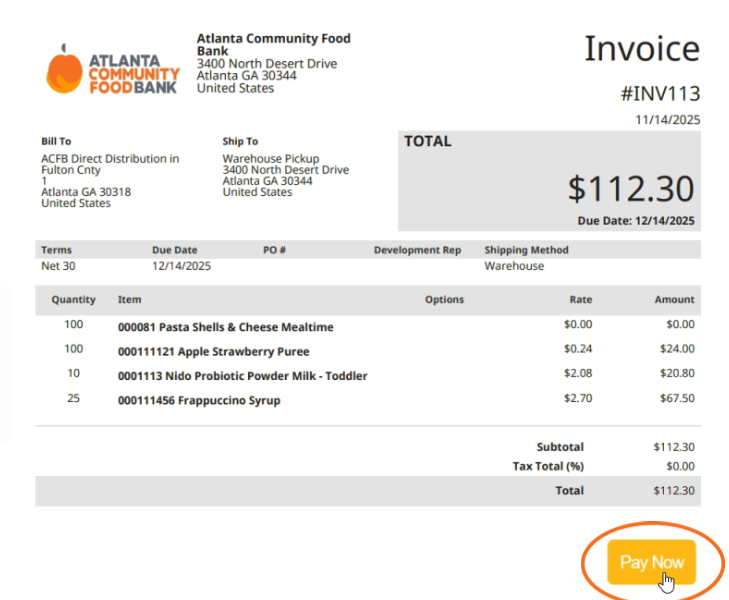
Access Invoice PDF
Open the PDF of the invoice the Food Bank emailed you. Click the “Pay Now” button on the bottom right of the invoice.
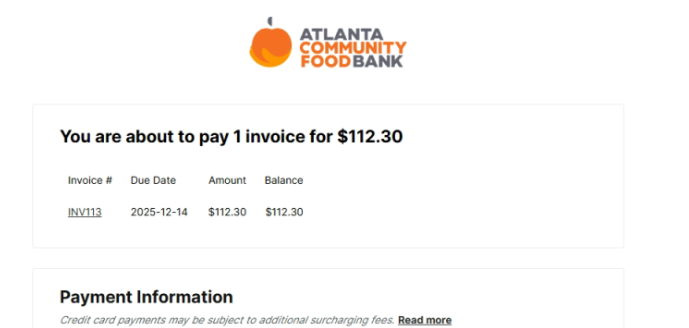
Invoice Description
At the top of the payment page, you will see a description of the invoice #, due date, and total amount due.
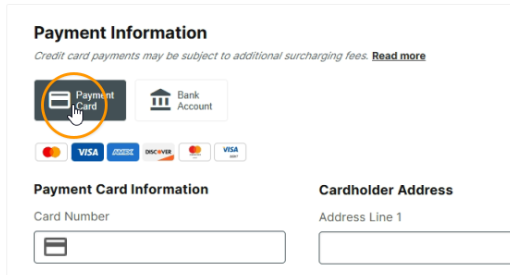
Credit/Debit Card Payment
To pay for an invoice with a credit/debit card, select “Payment Card.”
Payments made with a credit card include a 2.6% surcharge, calculated before checkout. You may avoid this fee by using a debit card or ACH/bank account.
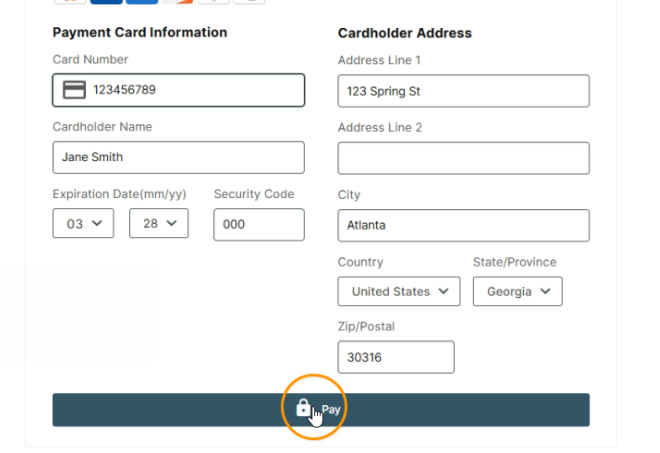
Enter your debit/credit card information. Please note: The Food Bank only accepts business credit/debit cards.
Click “Pay.”
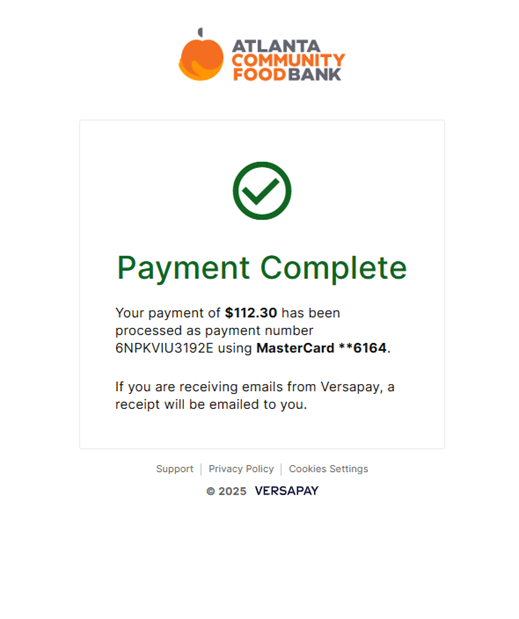
A payment confirmation will then appear to finalize this process.
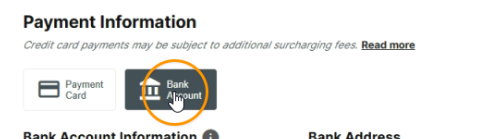
Bank Account/ACH Payment
To pay for an invoice with a bank account or ACH, select “Bank Account.”
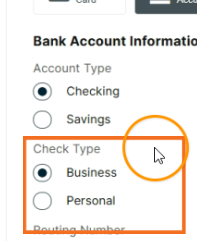
Select your account type between checking or savings.
Please note: The Food Bank only accepts business checking/savings accounts.
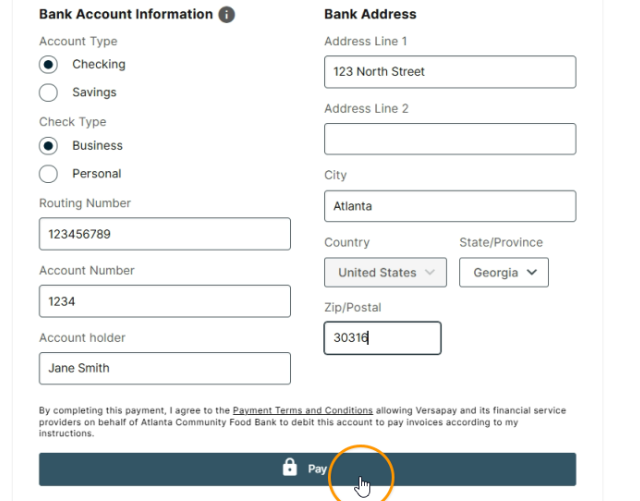
Enter your bank account information. Click “Pay.”
A payment confirmation will then appear to finalize this process.