Collect ROI Signatures
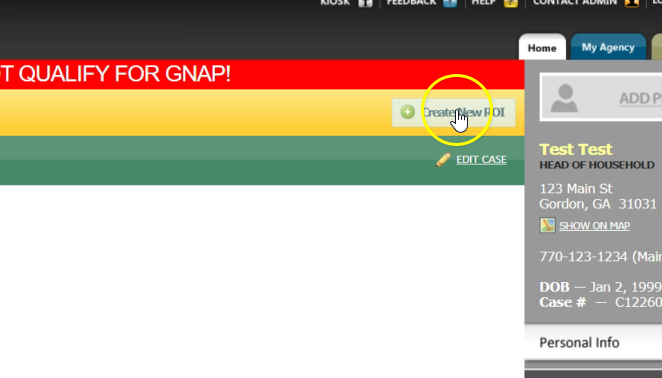
After creating a case, you will see a yellow banner at the top that says a “Release of Information (ROI) is required.” Click “Create New ROI.”
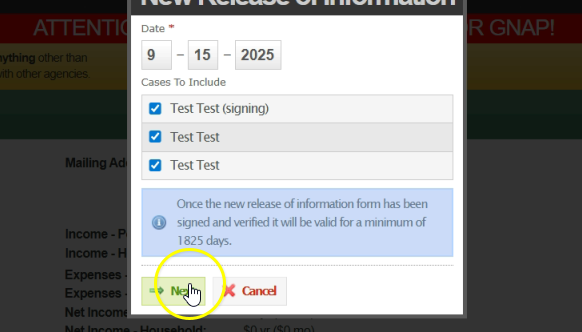
If you have added household members, each of them will appear under “Cases to Include.” Review the list and then click “Next.”
Show the neighbor the release of information. At the bottom of the screen, click “Click Here for Digital Signature.” Allow the person to sign, then select “Submit Signature.”
Next, you must verify the ROI. If the status says, “Not Verified,” click “Verify ROI.” A message will confirm that you are verifying the signed ROI and that it will be kept on file for five years. Click “OK” to complete this step.
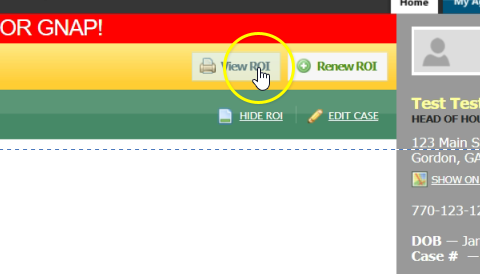
To view the ROI, click “Show ROI.” This will display the date it was verified and the location. From here, you can also choose to View or Renew the ROI.