Collecting & Printing Signatures for GNAP/TEFAP
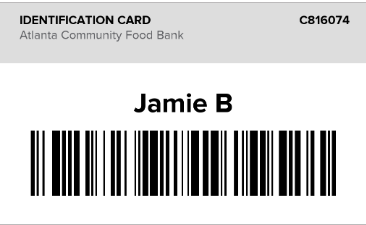
Collecting TEFAP/GNAP Signatures
From the Oasis homepage, scan the neighbor’s barcode. The barcode can be obtained from the neighbor’s Oasis ID card, their Oasis Pantry Pass, or the back of their driver’s license.
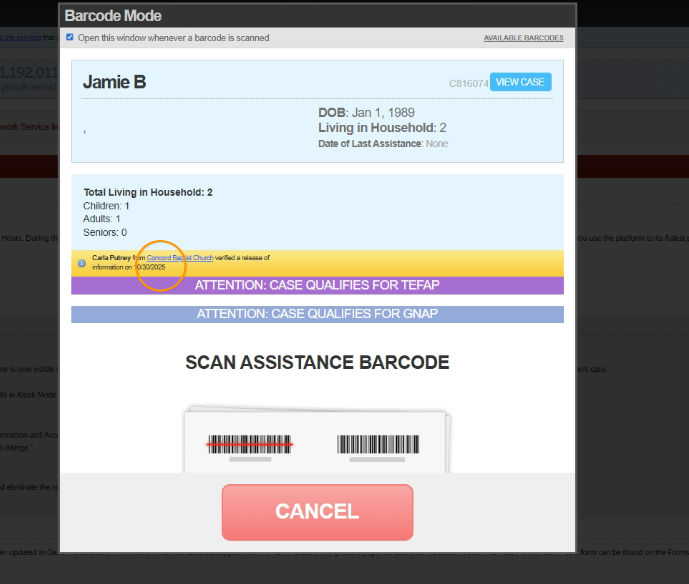
Once you scan their barcode, their name and information should appear. There will also be banners notifying you of whether or not this neighbor qualifies for TEFAP/GNAP.
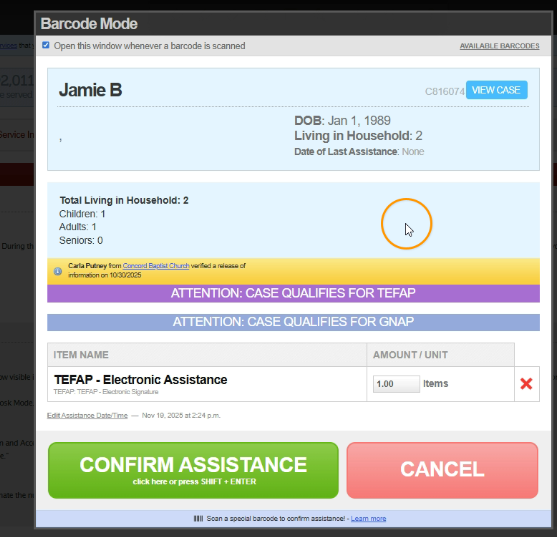
Next, scan the TEFAP/GNAP assistance barcode. The assistance will show up in the table. Scan or click the button to confirm assistance.
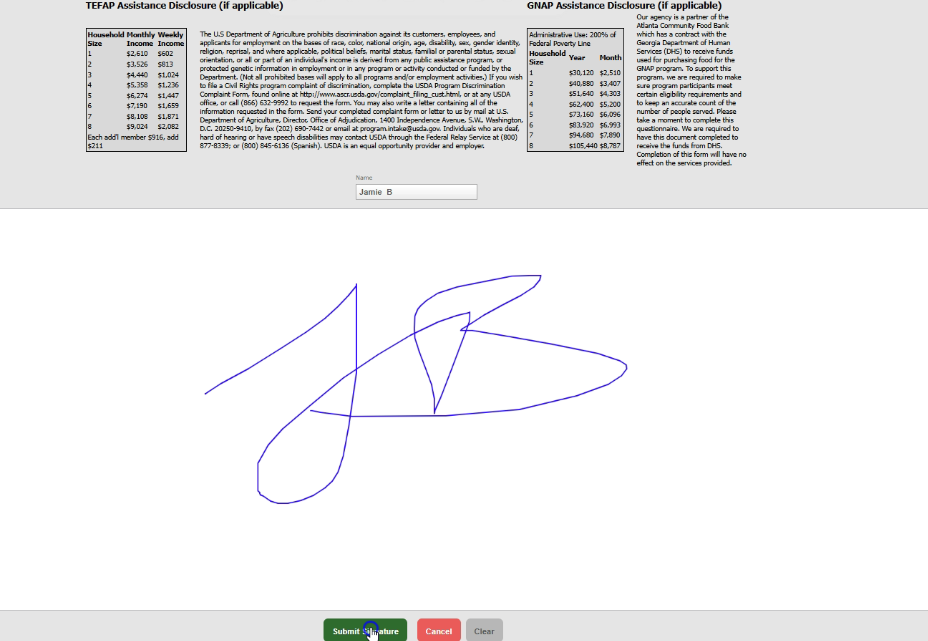
Collect the neighbor’s signature and click “Submit Signature”.
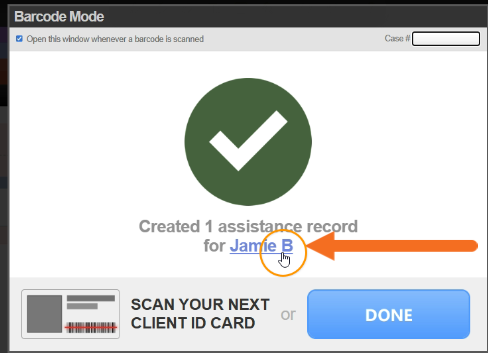
Printing TEFAP/GNAP Forms
After collecting the neighbor’s signature, you can access the recorded assistance by clicking the neighbor’s name.
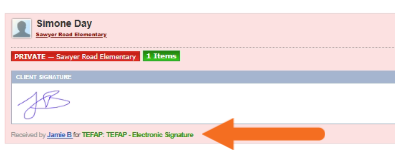
Assistance recorded for that neighbor will be listed with a TEFAP/GNAP label.

Select “Print” next to the date of your desired recorded TEFAP/GNAP assistance.
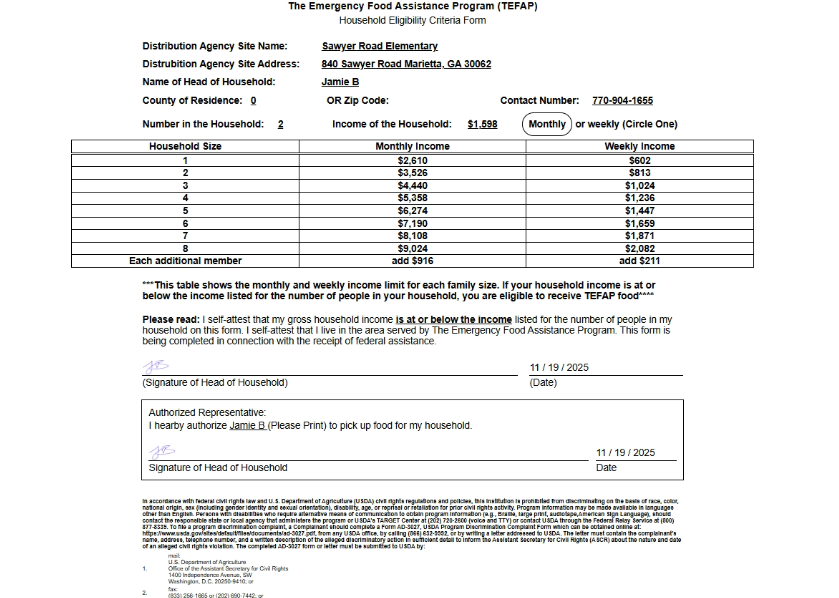
Your signed TEFAP/GNAP forms are now available to print or to share with your Compliance Specialist.