Grants: Adding Receipts
- Partners will be provided with a specific timeline to purchase items starting from the date the grant funds are received. All purchases must be made within this designated time frame.
- Receipts must include only items approved by the Grants team. Each receipt must show a zero balance or indicate it has been paid in full.
- All receipts must be uploaded to the Partner Portal.
- If any funds remain after initial purchases, partners must contact the Grants team for approval before making additional purchases.
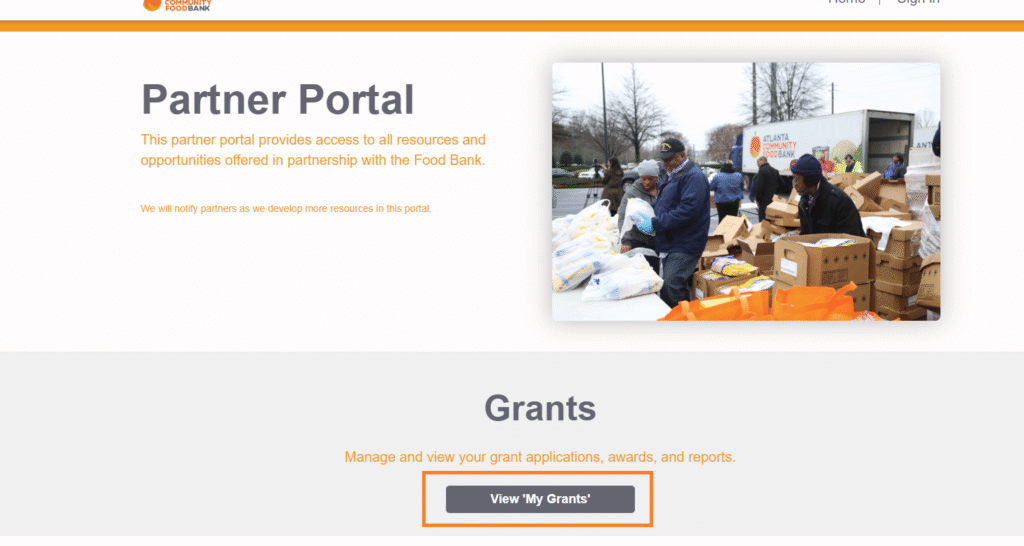
Adding Receipts
To submit a receipt, first navigate to the Partner Portal.
Click on “View My Grants” from the homepage.
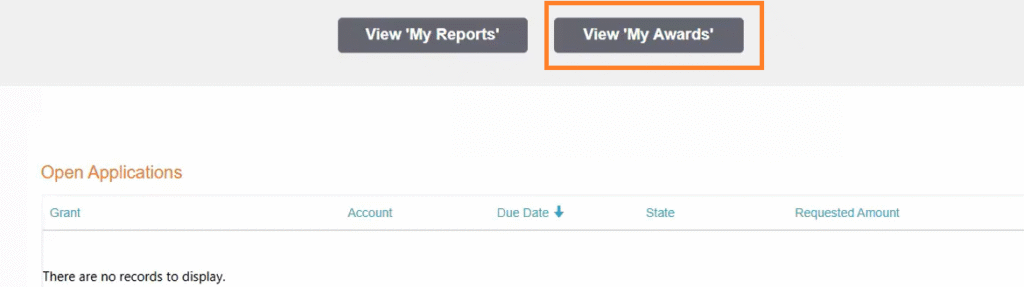
Click “View My Awards.” Select the item that you would like to upload a receipt for.
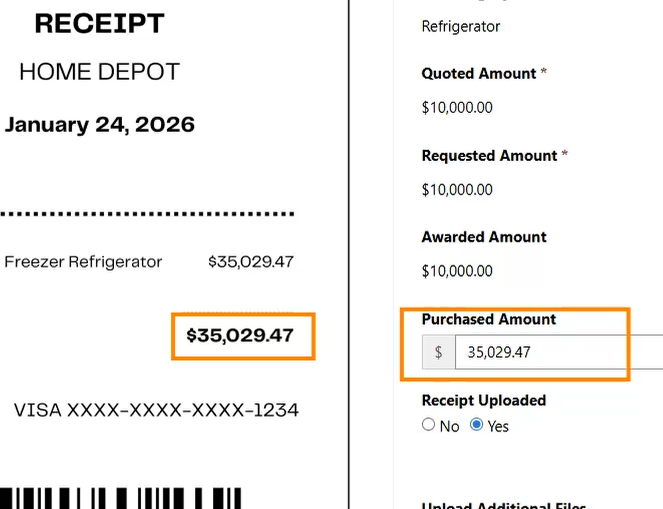
Please ensure that the purchased amount listed matches the total on your receipt.
If the purchased amount does not match the total on your receipt, you will need to adjust the purchased amount to match the receipt amount.
The proof of payment method will also need to be included in your receipt.
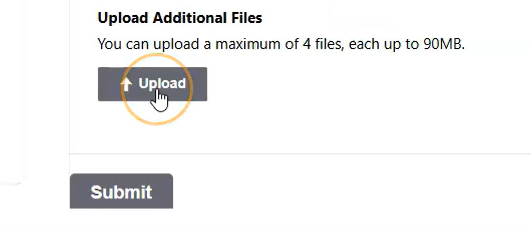
Click “Upload” to add your receipt file. Once your receipts are uploaded, select “Submit” to finalize your receipt upload.
Receipts Reminder
If you have not submitted your receipts at a certain point, you will receive the following receipts reminder:
Hello, Our records show that not all receipts have been uploaded for awarded items on Grant: November 2025 Up to $15K Grant. If you believe this is an error, please ensure that “Receipt Uploaded” has been selected to “Yes” on each of your awarded items. The final due date for all receipts to be uploaded is 2026-02-04.