Merging Duplicates
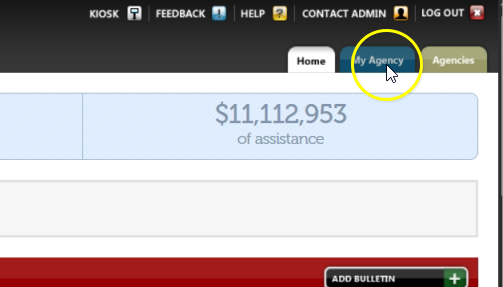
From the Oasis homepage, click “My Agency.”
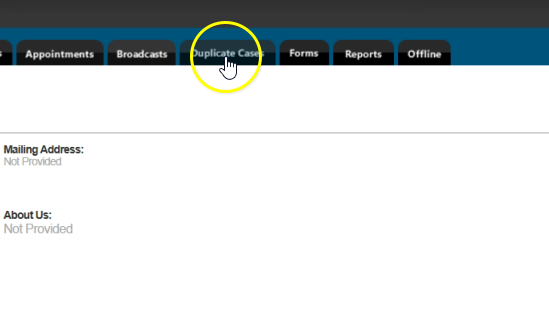
Click “Duplicate Cases.”
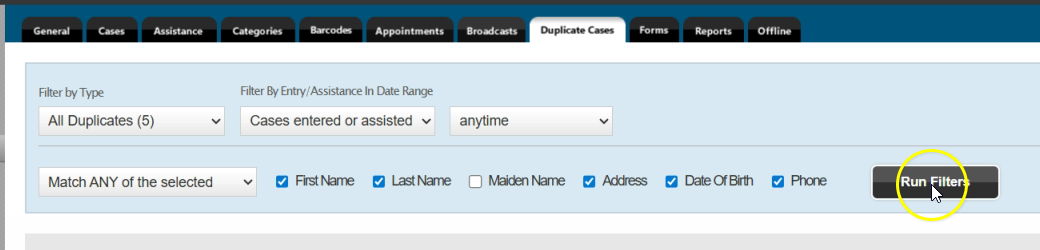
Click “Filter by Type” and select “All Duplicates.” Then click “Filter by Entry: Assistance in Date Range” and select “Cases entered or assisted.” Choose “anytime” for the date range, select “Match ANY of the selected,” and check “First Name,” “Last Name,” “Address,” “Date Of Birth,” and “Phone.” Finally, click “Run Filters.”

Review the list of possible duplicates. Compare names, dates of birth, addresses, and other details to confirm records refer to the same person. When you’ve identified true duplicates, click “Merge” next to that pair.

In the merge screen, select the correct information for the combined case. Keep the case that has an active ROI on file. Click “Merge Cases.”