TEFAP – Assistance
From the Oasis homepage, click “Search.” Use the name fields to search for the neighbor’s case, then click “Search” again and select the neighbor’s case from the results.
Click the “Assistance” tab and select “Add Assistance.” Change the assistance category to “TEFAP – Electronic Signature,” enter the number of TEFAP items the neighbor is receiving, and then select “Add.”
*Instead of recording the number of TEFAP items, another option is to record the total pounds of TEFAP food the neighbor is receiving. If you choose this option, please ensure that you have weighed the TEFAP food separately and please also ensure that you have not already recorded the weight of the TEFAP food under a different assistance category.
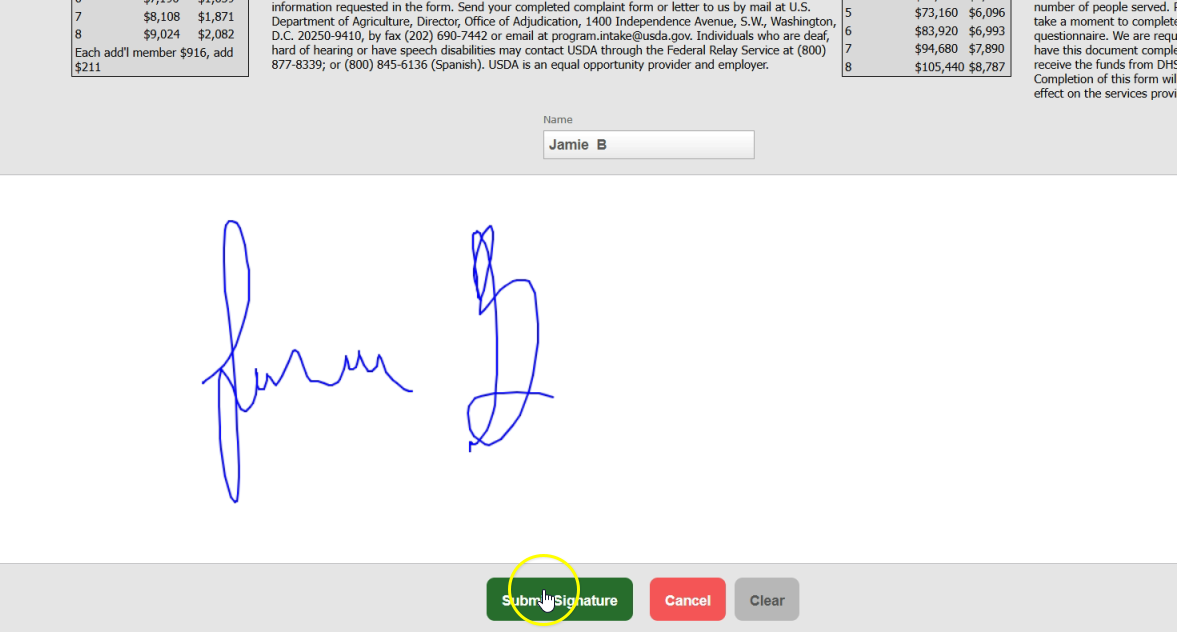
You will be directed to the TEFAP/GNAP Signature page, which includes the income guidelines from the TEFAP 832 Household Eligibility Criteria Form. Collect the neighbor’s electronic signature using a signature pad, tablet, or touch screen, then select “Submit Signature.”
View and print the completed TEFAP 832 Household Eligibility Criteria Form
Select the neighbor’s case and open the “Assistance” tab. Scroll to the “TEFAP – Electronic Signature” assistance that was just added, then select “Print” to view an electronic copy of the TEFAP 832 Household Eligibility Criteria Form.